How to Print and Bind a Printable Planner (at Home, Staples or Office Depot)
Short answer: Print the planner PDF on US Letter paper at Actual size (100%), double-sided with "flip on long edge". Print one test page first. Then bind it: a 1-inch ring binder or 3-hole punch at home, or ask Staples or Office Depot for coil (spiral) binding with a clear front cover, which lies flat on the desk. A 200 to 280 page planner printed double-sided is about 100 to 140 sheets, which fits one coil or a 1-inch binder.
A printable planner is just a PDF until it’s on paper. The good news: you don’t need special equipment. Most of the problems people run into (pages printing small, backs upside down, faint lines, a planner too thick to bind) come from three or four settings. This guide covers them, for home and for a print shop.
Free first: download our print test page (PDF). Page 1 checks your printer in one minute: a 6-inch ruler line for true size, corner marks for cut-off edges, grey swatches and sample planner lines. Page 2 is a checklist you can take to the print shop counter.
1. Print one test page first
Before you print 200 pages, print page 1 of the test page (or one page of your planner).
- Measure the ruler line. It should be exactly 6 inches. If it’s shorter, your printer is shrinking the page.
- Look for all four corner marks. If one is missing, your printer can’t reach that close to the edge.
- Check the light grey. If the lightest swatch or the planner lines are hard to see, raise the print quality.
2. Use these print settings
Paper size: US Letter (8.5 x 11 inches). Our planners print on Letter, the standard US paper size.
Scale: Actual size or 100%. This is the setting that matters most. Many PDF viewers shrink pages by default. Where to find it:
- Adobe Acrobat Reader: in the print window, under Page Sizing & Handling, choose Actual size.
- Mac Preview: if it says Scale to Fit, choose Scale and type 100%.
- Chrome or Edge: open More settings, then set Scale to Default or Custom 100.
Choose “Fit” only if the corner test showed your printer cutting off an edge. It shrinks every page slightly, which is fine for writing but not perfect.
Quality: Normal or Best, not Draft. Turn off any “toner save” or “ink save” mode. Planner lines are a light grey on purpose, and saving modes can make them vanish.
3. Print double-sided the right way
Double-sided printing halves the paper and makes a thinner planner that’s easier to bind. Single-sided gives you blank backs and is easier if you write with markers.
- Printer prints both sides on its own (automatic duplex): choose Print on both sides and Flip on long edge. Long edge is right for portrait pages. “Short edge” is what turns every back page upside down.
- Printer can’t do it on its own (manual): print odd pages first. Put the stack back in the tray as your printer’s manual tells you (HP and Brother print-on-both-sides-manually modes show you how), then print even pages. Test with 4 pages before you run the whole planner.
4. Choose your paper
Ordinary US copy paper is 20 lb. It works, but gel pens and markers can show through. Heavier paper helps:
- 20 lb: everyday copy paper. Fine for ballpoint and pencil.
- 24 lb: a little thicker. A good all-round choice for a planner.
- 28 to 32 lb: smooth and noticeably thicker. Less show-through for gel pens and fine-liners, but fewer sheets fit in a binding.
For a cover, 65 lb or 80 lb cardstock feeds through most home printers. Heavier cover stock often doesn’t, so check your printer’s paper limits first.
5. Bind it at home
Count your sheets first. Double-sided, the sheet count is half the page count.
| Planner | Pages | Sheets double-sided | Sheets single-sided |
|---|---|---|---|
| Vision Board Planner | 216 | 108 | 216 |
| Wise Witch Moon 2027 Planner | 276 | 138 | 276 |
Then pick a method:
- 3-ring binder (easiest). A 1-inch binder holds about 170 to 225 sheets of 20 lb paper, enough for either planner double-sided. Single-sided, use a 1.5 to 2 inch binder. A standard 3-hole punch makes holes about half an inch in from the edge. Punch through the plain margin side, punch a few sheets at a time and check the first one.
- Discbound. Pages snap onto discs and can be moved around. You need a special disc punch. 1.5-inch discs hold about 160 sheets.
- Coil or comb machine. A machine is only worth buying if you bind planners often. For one planner, a print shop can bind it for you.
- Split it in two. If the planner is too thick for your binding, bind January to June and July to December as two books. Thinner planners also lie flatter and weigh less in a bag.
6. Or let a print shop do it
You can send the PDF online and pick it up, or walk in with it on a USB stick.
Staples (Print & Marketing): upload the PDF online for in-store pickup or delivery, or bring it to the store. Staples offers coil (spiral), comb and other binding, plus heavier paper choices. Orders placed by noon can often be picked up the same day.
Office Depot and OfficeMax (Print & Copy): upload the file in the online document builder. Spiral, wire, comb and tape binding are listed, and some orders are ready the same day.
What to ask for (it’s all on page 2 of the test page):
- US Letter, Actual size / 100%, no “fit to page”.
- Double-sided, flip on long edge, or single-sided if you use markers.
- Paper weight: 24 lb or heavier if you write with gel pens.
- Coil (spiral) binding with a clear front cover and a firm back. Coil lies flat and folds back on itself, which is what most people want in a planner.
- One test page first, then the whole planner.
- The price before printing. Costs depend on page count, color and binding, so ask for a quote.
If the shop asks about copyright: a professionally designed PDF sometimes makes staff check that you’re allowed to print it. Show your order email. Our license lets you print pages for yourself and your household, so you’re welcome to print your own copy at home or at a shop.
Common questions
Why did my planner print smaller than the page? The print window was set to “Fit” or “Shrink oversized pages”. Choose Actual size or 100% and print again.
Why are the backs of my pages upside down? The printer was set to flip on the short edge. For portrait planner pages, choose flip on long edge.
Can I print in black and white? Yes. Both of our planners are designed in black and white with light grey lines, so you don’t need color ink.
Can I print only one month at a time? Yes. In the print window, type a page range (for example 12-40) instead of All. Many people print a month ahead and keep the pages in a binder.
Free gift
Free: Vision board template
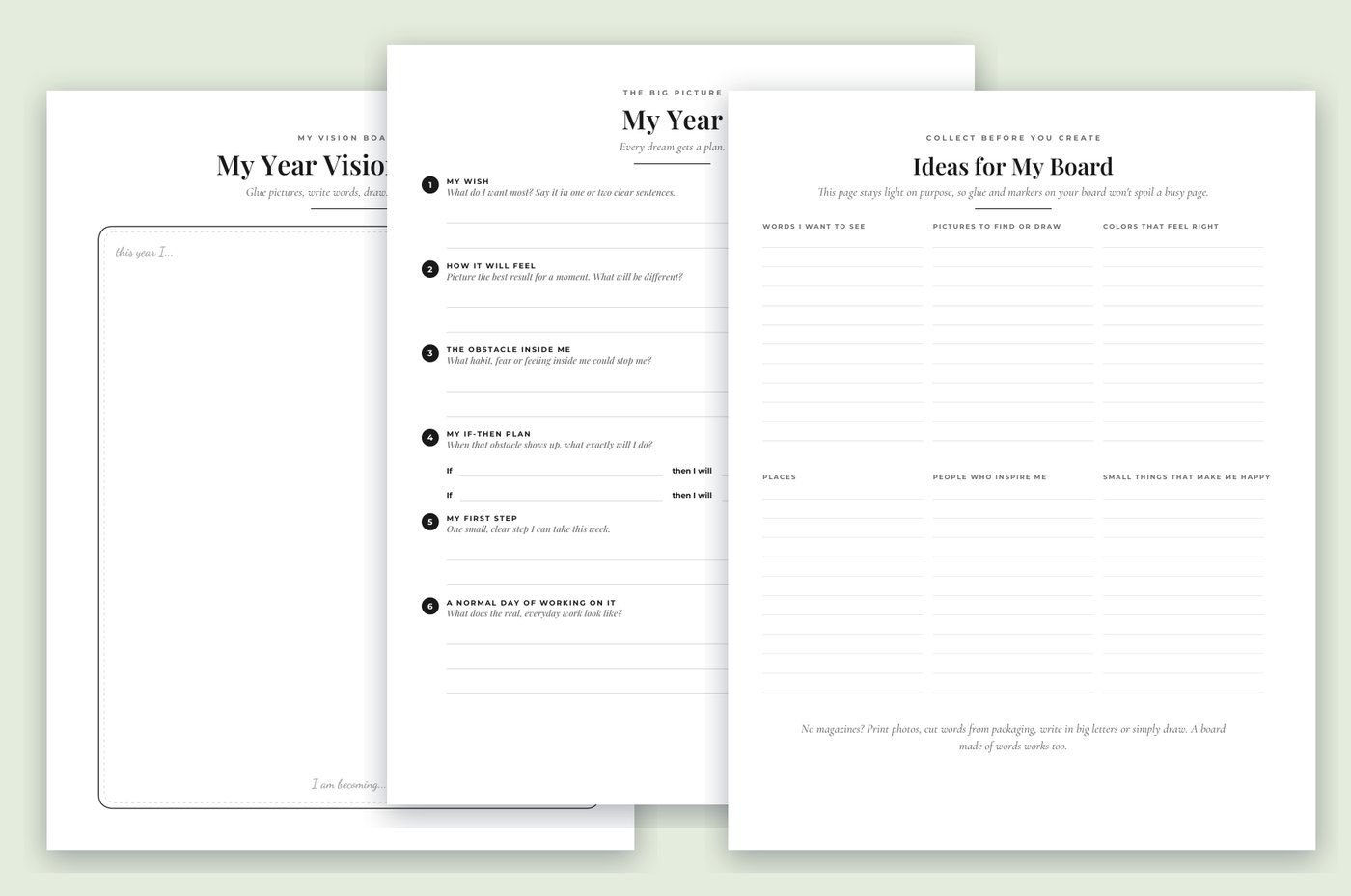
A year vision board, a plan page with your wish, the obstacle inside you, an if-then plan and your first step, and an idea page. US Letter.